First personal training session online: what to expect
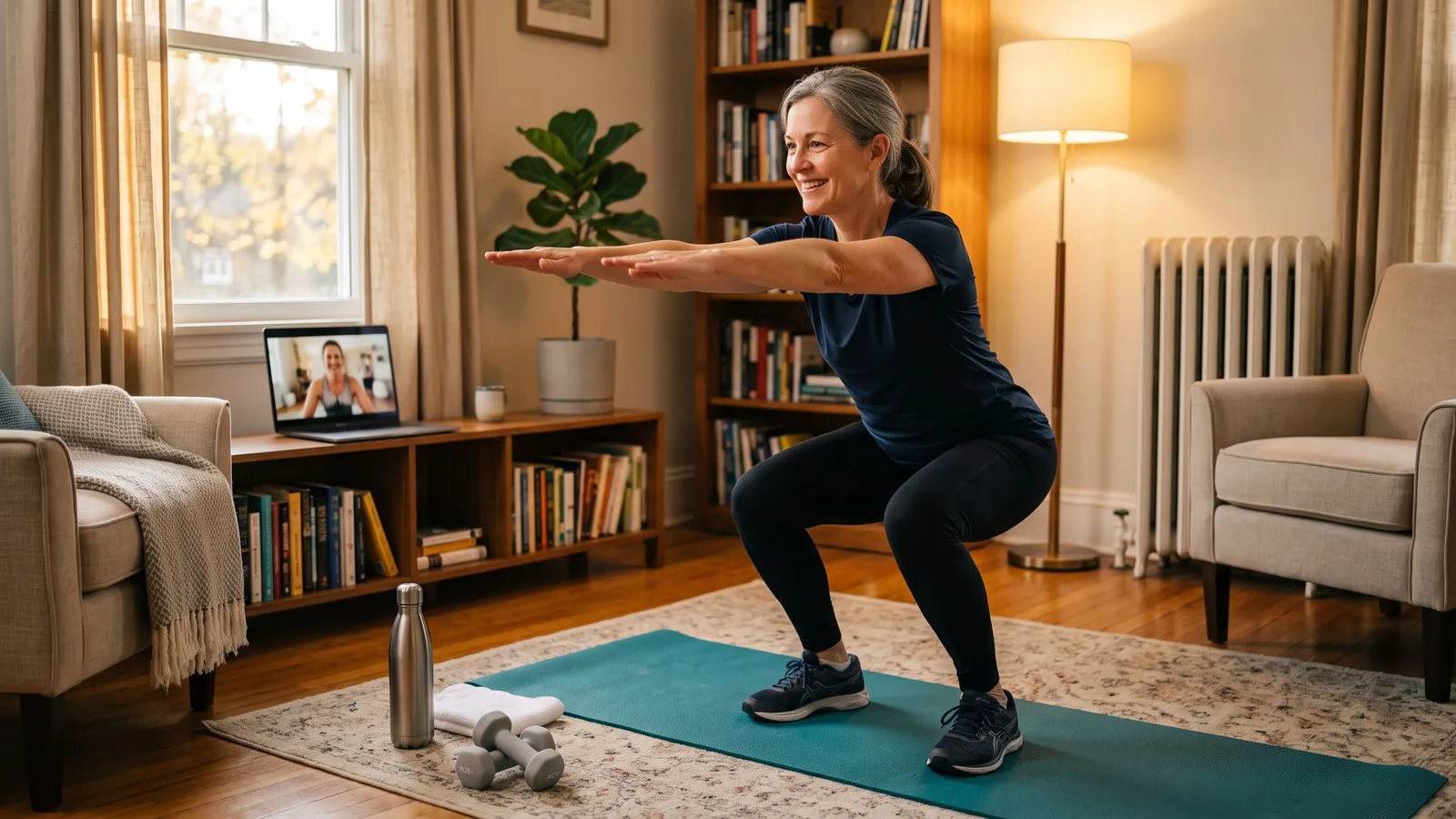
Your first personal training session online is mostly a conversation and a gentle movement check, not a test. A live coach asks about your goals and health, watches you do a few simple movements on camera, takes you through a short workout scaled to where you are today, and leaves you with a plan for the next few weeks. You do not need to be fit, you do not need equipment, and nobody is grading you.
I have run hundreds of first sessions over video, and almost everyone shows up a little nervous. That is normal. Here is exactly what happens, how to get ready, and what to ask.
What happens in a first personal training session, step by step
Most first sessions run 45 to 60 minutes and follow the same shape, whether they happen in a gym or on your laptop.
- Hello and goals (about 10 minutes). Your coach asks what you want: more energy, a stronger back, keeping up with grandkids, getting back to how you felt before a busy few years. Be specific. "I want to carry groceries up the stairs without stopping" is more useful than "get in shape."
- Health questions. Expect questions about injuries, surgeries, medications, pain, and conditions like high blood pressure or joint issues. Many trainers use a screening form based on the PAR-Q+ (Physical Activity Readiness Questionnaire for Everyone), a pre-participation screening tool from the PAR-Q+ Collaboration. If anything flags, your coach may suggest checking with your doctor before you push harder. That is caution, not rejection.
- A movement check (about 10 minutes). You will do a few everyday patterns: sitting down to a chair and standing up, a gentle lunge or step, reaching overhead, maybe a short balance hold. The coach is looking at how your knees, hips and shoulders move, not counting reps.
- A short workout scaled to you (15 to 25 minutes). Simple strength moves with your body weight, with easier and harder options offered on the spot. You should finish feeling like you could have done a bit more.
- The plan (5 minutes). Your coach explains what the next few weeks look like: how often you will meet, what to do between sessions, and what you will build toward.
Expect some mild soreness a day or two later if you have not trained in a while. Sharp pain is different; tell your coach.
How to set up your phone or laptop and space
Ten minutes of setup makes the whole session better. Do this before your start time:
- Find about two meters (six or seven feet) of clear floor. A living room or bedroom is plenty. Move the coffee table, not the couch.
- Prop the device at hip height or a bit higher, a few steps away, so your coach can see you from head to feet when you stand and when you lie down. A shelf, chair or stack of books works.
- Turn the camera sideways if needed. Holding a phone horizontally usually shows more of your body.
- Light in front of you, not behind. A bright window behind you turns you into a silhouette, and your coach cannot see your form.
- Check sound. Turn the volume up, or use wireless earbuds so you can hear cues when you are on the floor.
- Charge the device and test the app or link the day before.
What to wear and what equipment you need
Wear clothes you can move in that let the coach see your joints: leggings or shorts, a fitted top, and supportive sneakers (or bare feet on a mat if that is more comfortable). Very baggy clothes hide what your knees and hips are doing.
You need: water, a towel, and a sturdy chair without wheels.
Nice to have: a yoga mat, and later perhaps a pair of light dumbbells or a resistance band.
You do not need: a bench, a rack, a smart mirror, a heart-rate strap or any new gear. Your coach will tell you if something is worth buying after they have seen you move. Plenty of people train for months with a chair, a wall and a couple of water bottles.
Common fears, answered honestly
"I am too out of shape for a trainer"
This is the most common worry, and it is backwards. Being a beginner is exactly when a coach helps most, because good habits are easier to build than bad ones are to fix. The CDC notes that some physical activity is better than none, and its guidelines include at least 2 days a week of muscle-strengthening activity for adults. Your first session is about finding your starting point so you can work toward that safely. If you want more on starting from zero, see our page on training for beginners.
"I do not want to be watched on camera"
Fair. But think about what the camera replaces: a gym floor full of strangers. On a video session the only person watching is your coach, and they are looking at your knees and your breathing, not your living room or your outfit. You can set the camera angle, keep your own video small on your screen, and ask to pause anytime.
"What if I cannot do an exercise?"
Then your coach changes it. That is the job. A squat becomes a sit-to-stand from a chair; a push-up moves to the wall or the kitchen counter. Nobody fails a first session.
Questions to ask your coach
- What did you notice in my movement check, and what will we work on first?
- How many sessions a week do you recommend for my goal, and why?
- What should I do on days we do not meet?
- How will we track progress besides the scale?
- What should I tell you if something hurts?
- Can I reschedule easily if my week gets busy?
A good coach will answer plainly. If the answers feel vague, try a different one.
How a live session differs from an app or a recorded video
Fitness apps, YouTube videos and AI workout plans have real strengths. They are cheap or free, available at 6 a.m. or midnight, and many have decent programming. If you are already confident in your form and self-motivated, they can work.
A live coach adds things software still cannot do well from a recorded plan:
- Real-time form correction. "Push your hips back a little" in the moment, before a bad habit sets in.
- On-the-spot changes. Your knee is cranky today, so the coach swaps the lunge without you having to search for an alternative.
- Noticing you. A person sees that you are tired, holding your breath or wincing, and adjusts.
- Memory. Your coach remembers your shoulder, your work trip and last week's win.
- Accountability. Someone is expecting you at 7:00. That is often what gets people through dark evenings and a busy holiday season.
For a wider comparison, see online vs in-person personal training and our roundup of the best online personal training options.
How HipTrain helps
HipTrain pairs you with a certified human coach for live 1-on-1 video sessions on your phone or laptop, from $14 per session, with plans from $59.49 to $319.99 per month. Sessions are HSA/FSA eligible, which is worth checking now if you have FSA money left before year end. The easiest way to see if it fits is to try it: book a free trial session and your coach will walk you through every step above.
FAQ
How long is a first personal training session?
Usually 45 to 60 minutes. Expect about 15 to 20 minutes of conversation about goals and health, a short movement check, a workout scaled to you, and a few minutes on the plan.
Will my first session be a hard workout?
No. A good first session is deliberately moderate. The goal is to learn how you move and build confidence, so you should finish feeling you had a little left.
Do I need to tell my coach about health conditions?
Yes. Share injuries, surgeries, medications and conditions such as high blood pressure. If you have a condition, talk to your doctor before starting a new program, and your coach will plan around what they say.
What if my internet drops during the session?
Rejoin the call, and the coach will pick up where you left off. Training near your router and closing other streaming apps helps keep the connection steady.