Personal trainer app for seniors: a live, patient coach on your phone or tablet
What older adults should look for in a trainer app, how live video sessions work in the HipTrain app, and what it costs.
Most fitness apps were built for people who already know how to exercise. If you're in your 60s, 70s or 80s, or you're choosing an app for a parent, you probably want something different: a real person who can see you, speak to you by name, and slow down when you need it. This guide explains what to look for and how HipTrain's app works. HipTrain wrote it, so we're biased, and we've listed our sources at the end.
The short answer
The best personal trainer app for most seniors is one with live 1:1 video sessions in the app, where a certified trainer watches you move and changes each exercise on the spot. Recorded workouts can't see you wobble. HipTrain's app lets you book live sessions with the same trainer each week from about $14 a session, and your first 30-minute session is free with no credit card needed. Please check with your doctor or health care provider before starting any new exercise program.
What to look for in a trainer app after 65
Search the app stores for "personal trainer" and you'll find three kinds of apps. They work very differently, and the difference matters more as we age.
- Live 1:1 video. You and a trainer meet on a video call at a time you booked. The trainer sees you the whole time. This is the closest thing to a trainer standing in your living room.
- Coach-in-the-app (mostly async). Apps like Future and Trainwell pair you with a coach who sends workouts and checks in by message. You train alone and the coach reviews later.
- Plan-only. Apps like Ladder give you a program to follow with coach audio, but nobody is watching you in particular.
For an older adult, a few questions sort the good fits from the poor ones:
- Can someone see my feet? Balance work is where a watching eye helps most. Ask whether a person sees you during the workout, not after it.
- Will it be the same person? A trainer who knows your knees, your blood pressure medicine and your bad days can plan around them. Starting over with strangers is tiring.
- Is it easy to get in? Long passwords and buried menus stop many people before the first workout.
- Can I change the time? Doctor visits and grandkids happen. Moving a session should take seconds.
How a live session works in the HipTrain app
Here's the path from download to your first workout, step by step.
- Answer four quick questions. Your goals, how often you'd like to train, the times that suit you, and your starting level.
- Look at your matches. You'll see trainers who fit your week, each with a photo, their focus and their real open times.
- Pick a time and create your account. There's no password to remember. You sign in with a one-time code sent to your email.
- Get ready. Your trainer reads your goals before you meet. A short video shows what to wear, how to set up your space and what gear you need (often just a sturdy chair).
- Join. You get a reminder before each session. Your trainer sends the join link in chat, and you tap Join.
- Train together. Every session is a live video call with just you and your trainer. They personalize the session, correct your form and cheer you on.
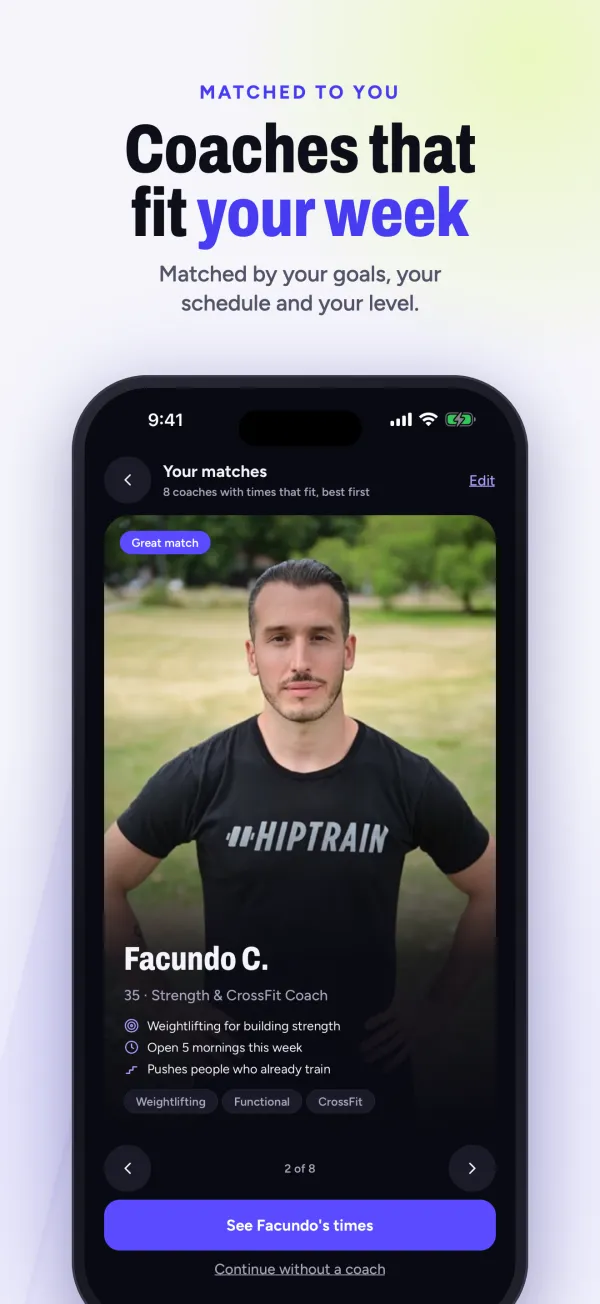
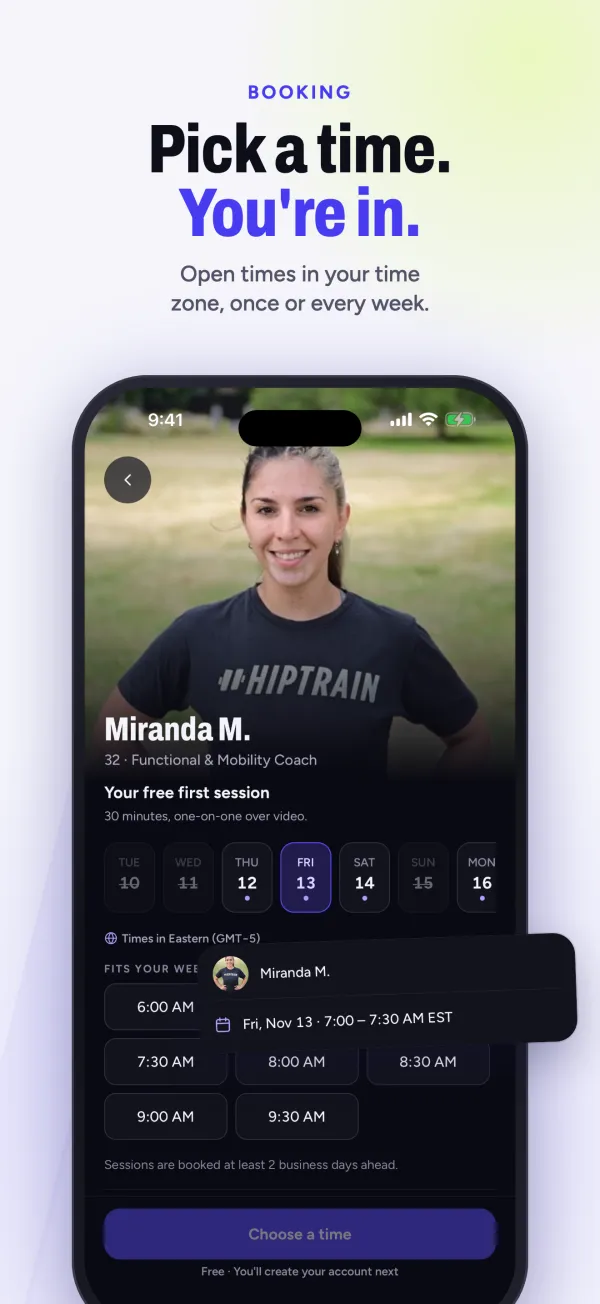
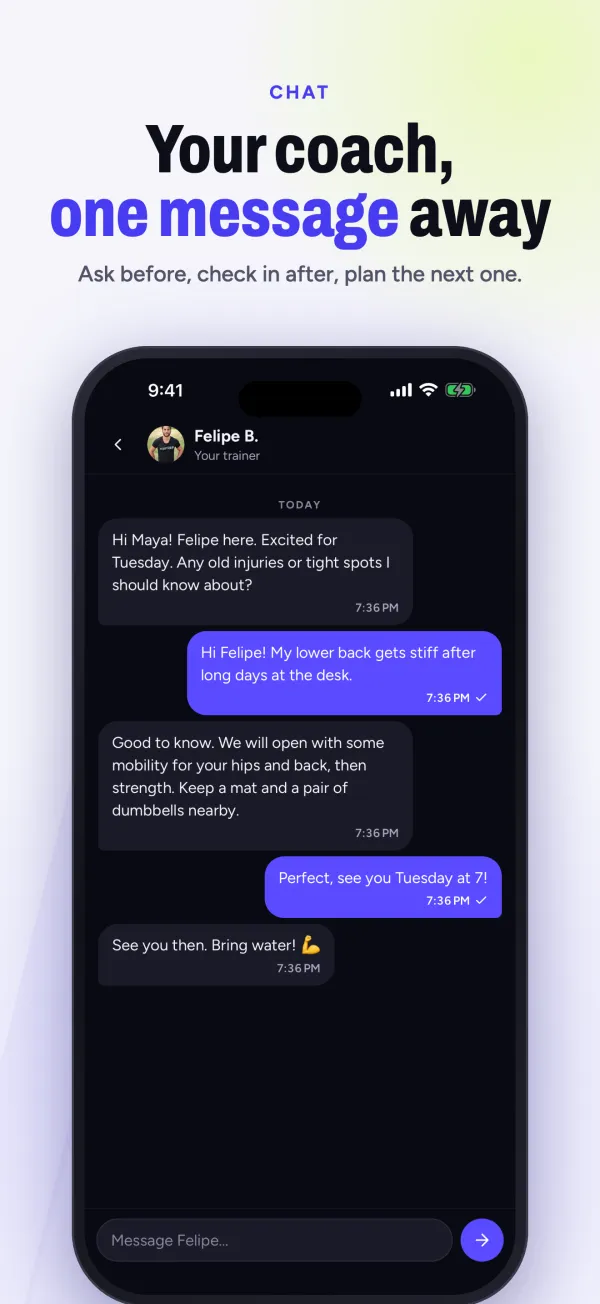
The app runs on iPhone, iPad and Android phones, and you can also book and join from a web browser. More on the features is on our HipTrain app page, and our broader guide to personal trainer apps compares the main types.
Balance, chairs and a trainer who doesn't rush you
The CDC's guidelines for adults 65 and older call for at least 150 minutes a week of moderate activity, muscle-strengthening activities on 2 or more days, and balance activities such as walking heel to toe or standing up from a chair. The CDC also says that if you can't meet those numbers, be as active as your abilities and conditions allow. Some activity is better than none.
The National Institute on Aging says strength exercises help with everyday tasks like getting out of a chair, climbing stairs and carrying groceries, and that strength and balance work help prevent falls. That's the kind of training a live trainer can shape around your home.
What that can look like on a video call:
- A chair for everything. Seated warm-ups, sit-to-stands, and seated stretches. If standing is hard today, the whole session can stay in the chair.
- A counter for balance. Your trainer has you stand next to the kitchen counter so a hand is always close, then watches your hips and ankles as you shift your weight.
- Camera placement that shows your feet. You can flip the camera or prop your device on a shelf so your trainer sees you head to toe.
- Clear sound. Use the speaker, or wired or Bluetooth headphones if your hearing is better that way.
- Time to rest. A good trainer would rather end early than push you. If you feel dizzy, short of breath or unwell, sit down and say so.
HipTrain trainers are certified personal trainers. They are not doctors. Tell your trainer about any condition, medicine or past fall, and ask your doctor if you're unsure about an exercise. For a deeper look at senior training, see HipTrain for seniors.
Setting it up for a parent
Many people searching for a senior trainer app are adult children helping a mom or dad. A few things make the first week easier:
- Install the app on the device your parent already uses most. A tablet on a stand is often easier to see than a phone.
- Do the four questions together, then let your parent pick the trainer from the photos. Choosing makes it theirs.
- Book a repeating weekly time. Each booking sends a calendar invite by email, so it shows up where they already look.
- Sit in on the first session if they'd like, then step back. After that, joining is a reminder and one tap.
The app also works in Spanish, and has a light and a dark mode, which some people find easier on the eyes.
What a member says
HipTrain is rated 5.0 on Google from 81 reviews. One from a member in his late 60s:
"Miranda, is highly professional. I am 68 years old, she is VERY patient with me, Most importantly I am making progress. I am so glad I picked her." (Douglas H., Google review)
What it costs
You choose session length and how many times a week. Many older members start with one or two 30-minute sessions a week.
For comparison, a typical in-person trainer costs $75 or more a session. HipTrain is also HSA / FSA eligible, though your plan may ask for a letter from your doctor. See our HSA / FSA page and check your own plan.
When HipTrain isn't the right fit
- You want someone in the room. HipTrain has no in-person sessions. If you need hands-on help getting up from the floor, a local trainer or a supervised class may suit you better.
- You'd rather not be on camera at a set time. Live sessions are booked appointments. A self-paced app fits people who want to exercise whenever they like.
- You want a big library of videos. HipTrain doesn't offer an on-demand workout library or nutrition plans.
- You trust big numbers. Our app has about 30 ratings on the App Store (4.7 stars), far fewer than the largest fitness apps, and our trainer roster is small.
Questions
Is there a good personal trainer app for elderly beginners?
Look for one where a person watches you live. A beginner in their 70s benefits most from someone who can stop an exercise, change it, and explain it again in different words. Recorded workouts can't do that.
Can my mother do this if she isn't good with technology?
Often, yes. Sign-in uses an emailed code rather than a password, and joining is one tap on the link the trainer sends. A family member can help with the very first setup and the camera angle.
Do seniors need equipment for a trainer app?
No. A sturdy chair, a counter or wall to hold, and a phone or tablet are enough. If you own light dumbbells or a band, your trainer can use them.
How long are the sessions?
You can book 30 or 60 minutes. Many older adults find 30 minutes the right length to start, especially for balance work, which takes focus.
Is it safe to exercise with an app after a fall?
Talk with your doctor first. If they clear you, tell your trainer exactly what happened so they can start gently and keep support close by.
Curious whether a live trainer feels right for you or your parent? Try your first HipTrain session free. No credit card needed.
We checked app features and prices in November 2026. Apps and plans change, so double-check before you sign up.