Personal trainer app for beginners: start with a real person, not a playlist
Never worked with a trainer? Here's what a good beginner app does, what your first live session in HipTrain looks like, and what it costs.
If you've never exercised regularly, most workout apps can feel like walking into the middle of a class that started ten minutes ago. Fast music, moves you've never heard of, and a timer that won't wait. A beginner needs something else: someone to explain, watch and slow things down. This page walks through what that looks like. HipTrain wrote it and we sell one of the apps covered, so factor that in. Sources are at the end.
The short answer
A good personal trainer app for beginners connects you with a real, certified trainer on live video, so you learn each move correctly from day one. HipTrain does that with live 1:1 video sessions in the app, the same trainer every time, and no equipment needed. Sessions cost about $14 each for 30 minutes, and your first one is free with no credit card. If you have a health condition, talk to your doctor before you start.
What beginners actually need from an app
Experienced exercisers mostly need a plan. Beginners need teaching. That changes which type of app makes sense.
Plan-only apps
Apps like Ladder hand you a structured program and coach audio. They're affordable and work well once you know the basic moves. For a true beginner, the gap is that nobody tells you your squat looks off.
Coach-in-the-app (mostly async)
Apps like Future and Trainwell give you a coach who designs workouts and checks in by message or video. You still train alone, and feedback comes after the fact.
Live 1:1 video
You and a trainer meet on a video call at a set time. They demonstrate, you try, they correct. It's the same back and forth you'd get in a gym, minus the gym.
If you're starting from zero, the third option is the one that teaches. Once you're confident, any of the three can work. Our guide to personal trainer apps covers the trade-offs in more detail.
How live sessions work in the HipTrain app
Getting started is built for people who have never done this before.
- Answer four questions. What you'd like to work on, how often, what times work, and your starting level. "Brand new" is a perfectly good answer.
- Pick from your matches. Each trainer shows a photo, their focus and the times they're actually free.
- Book and sign in. Choose a time and create your account. You sign in with a one-time code sent to your email, so there's no password to forget.
- Watch the prep video. A short video shows what to wear, how to set up your space and what gear you need. For most beginners, the answer is comfortable clothes and a clear spot on the floor.
- Join with one tap. You get a reminder, your trainer sends the link in chat, and you tap Join.
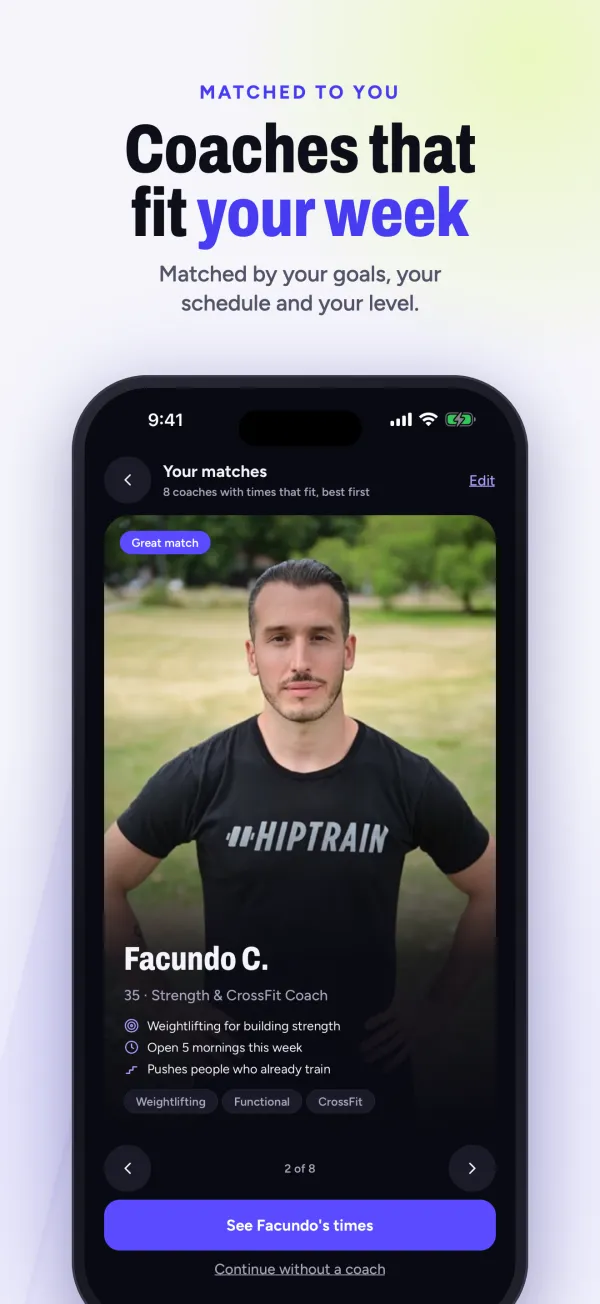
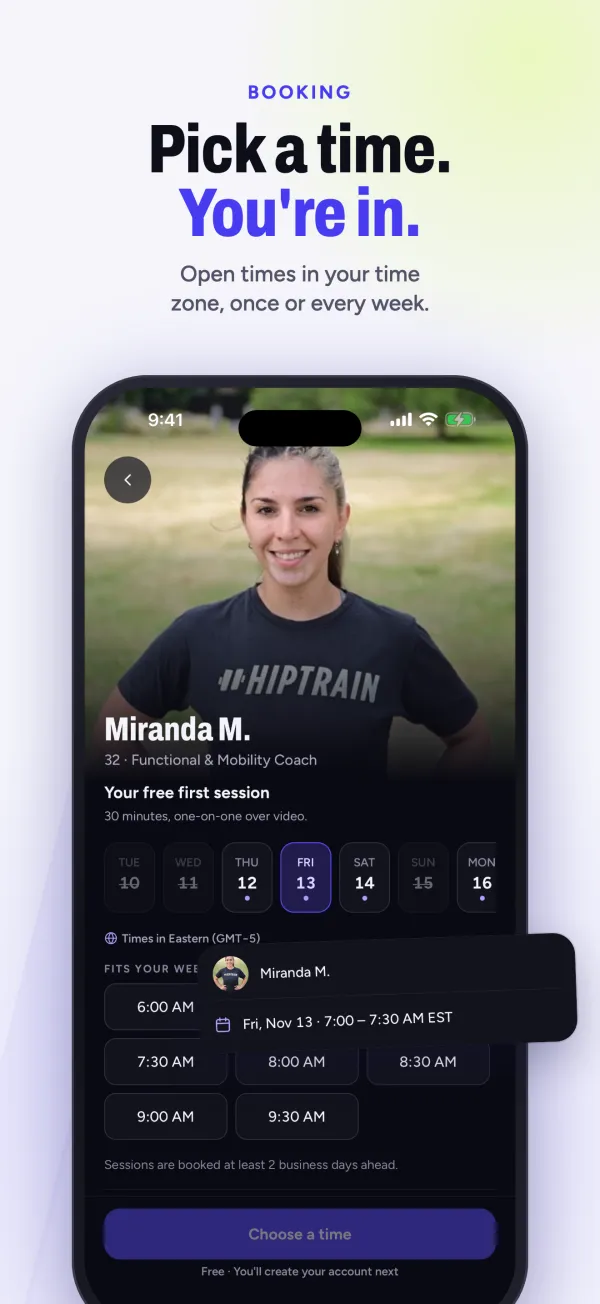
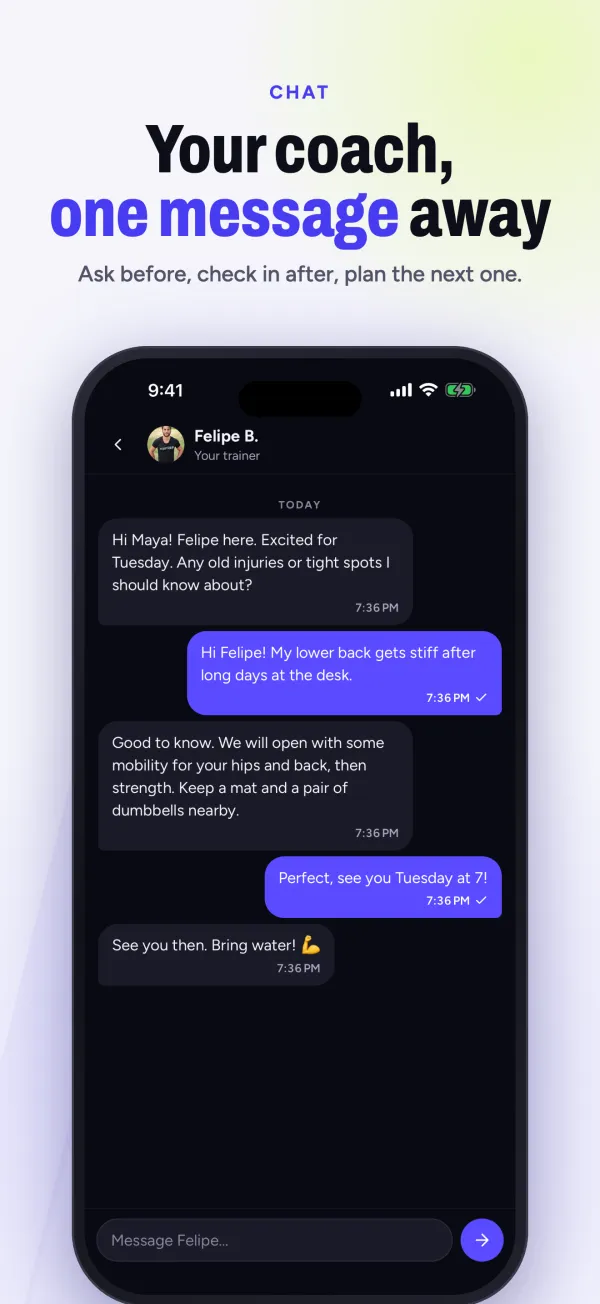
The app works on iPhone, iPad and Android, and there's a web version too. The HipTrain app page has more detail.
Your first session, minute by minute
This is an example only. Every trainer runs it a bit differently, and your trainer will have read your goals first. Here's how a first 30 minutes might go for someone who hasn't exercised in years.
- Minutes 0 to 5: hello and setup. Your trainer asks how you're feeling and about any aches or injuries. They'll ask you to move your phone so they can see your whole body. You can flip the camera or prop it on a chair.
- Minutes 5 to 10: warm-up. Easy marching, arm swings, gentle hip circles. Nothing you'll need to look up.
- Minutes 10 to 22: learning the basics. A few foundation moves, like a squat to a chair, a push-up against the wall, and a bridge on the floor. Your trainer shows each one, watches you try it, and gives one simple fix at a time.
- Minutes 22 to 27: a short finisher. Two or three of those moves in a row, at a pace that's a little challenging but never frantic.
- Minutes 27 to 30: cool-down and next steps. Light stretching, then a chat about what you'd like to do next time.
You won't be graded, and nobody else is watching. Mute or turn your video off for a moment if you need to; those controls are on screen.
Common beginner worries
"I'm too out of shape for a trainer." That's exactly who trainers are for. Federal guidelines say some physical activity is better than none, and that adults benefit from moving more and sitting less. You start where you are.
"I'll be embarrassed." It's just you and one trainer, in your own home. No mirrors full of strangers.
"I don't own any equipment." You don't need any. A phone and a small space are enough. A chair and a wall help.
"I'll quit after two weeks." A booked time with a person expecting you can make it easier to keep going. The app also keeps a weekly streak and counts your classes this month, so you can see the habit build.
For more on starting out, read HipTrain for beginners.
What a member says
"I have been doing one on one yoga with HipTrain for 3 years now. I went from almost no fitness level to having the ability to move freely without aches and pains. I can support my own body weight in planks! My trainer, Flavia, is fabulous, progressively challenging me to do more. It has been life changing! I highly recommend HipTrain!" (Lauren R., Google review)
What it costs
Most beginners do well starting with 30-minute sessions, once or twice a week. One a week is $59.49 a month. A typical in-person trainer charges $75 or more per session. HipTrain is also HSA / FSA eligible; see our HSA / FSA page and check your plan's rules.
When HipTrain isn't the right fit
Live training isn't for every beginner. Consider something else if:
- You'd rather learn alone, at any hour, without a booked time. A self-paced app makes more sense.
- You want a big on-demand video library or meal plans. HipTrain offers neither.
- You'd feel more at ease with a trainer in the same room. We're video only.
- You want a long list of reviews. We have about 30 ratings on the App Store (4.7 stars) and a smaller trainer roster than the biggest apps.
Questions
What's the best workout app for complete beginners?
One that teaches you the basic moves with feedback. Live video with a trainer is the most direct way to get that. Once you know the moves, cheaper plan-based apps become a reasonable option.
How often should a beginner train with a personal trainer?
Once or twice a week is plenty to start. The CDC suggests muscle-strengthening activity on 2 days a week for adults, so two short sessions with a trainer covers that, and walking on other days adds up.
What should I wear to an online training session?
Comfortable clothes you can move in and supportive shoes, or bare feet if your trainer suggests it. The app's prep video walks you through it before your first session.
What if I don't like my trainer?
You can switch trainers anytime. Not every match is right, and that's normal.
Ready to learn the right way, at home? Try your first HipTrain session free. No credit card needed.
We checked app features and prices in November 2026. They can change, so confirm before signing up. If your goal is weight loss, see our trainer app guide for weight loss, or for building muscle, our strength training app guide.