Strength training app at home: a live trainer, your living room, little or no gear
How to get stronger at home with a real trainer on video: what you need, how sessions work in the HipTrain app, and what to expect.
You don't need a gym to get stronger. Body weight, a resistance band and a pair of dumbbells cover a lot of ground, if you use them well. The hard parts are knowing what to do, doing it with good form, and making it a bit harder each week. That's what a personal trainer is for, and a good app can bring one into your living room. HipTrain wrote this guide and makes one of the apps in it. Exercise facts are sourced at the end.
The short answer
The best strength training app at home is one where a trainer can see you lift. Form errors on squats, hinges and rows are hard to spot on your own, and a live trainer fixes them in real time. HipTrain gives you live 1:1 video sessions in the app with the same trainer, built around whatever gear you have (or none). It's about $14 for a 30-minute session, and your first session is free with no credit card needed.
What makes strength training work
The CDC says adults should do muscle-strengthening activities at least 2 days a week, working the legs, hips, back, chest, abdomen, shoulders and arms. It also gives a useful rule of thumb: work to the point where it's hard to do another repetition without help, aim for 8 to 12 repetitions as one set, and do at least one set, with two or three for more benefit.
The CDC lists lifting weights, resistance bands and body-weight exercises like push-ups as examples. All three work at home. What a home setup usually lacks is the knowledge of when to make things harder, and someone to check that your technique holds up as it does.
Picking a strength training app: three kinds
Plan-only apps (Ladder is one example) give you programmed workouts with coach audio. They're affordable and good if you already lift with solid form.
Coach-in-the-app services (Future and Trainwell, for example) pair you with a coach who writes your program and reviews your progress by message or video. Mostly async: you train when you like, and feedback comes later.
Live 1:1 video puts a trainer on the call while you lift. They count your reps, watch your knees on the squat and tell you to slow the lowering phase. You need to show up at a booked time.
Ask any app three questions before you pay. Does someone see me lift? Does the plan get harder as I get stronger? Can it work with the gear I actually own? Our guide to personal trainer apps compares the types in more depth.
How live strength sessions work in the HipTrain app
- Set your goal. Four quick questions: what you're after (say, "get stronger"), how often, what times suit you and your starting level.
- Find a strength-focused trainer. Your matches show each trainer's photo, focus and real open times.
- Book your training days. Strength works best on a regular rhythm, so you can repeat a booking weekly for 8 weeks. A calendar invite arrives by email.
- Set up your space. A short video shows what to wear, how to set up and what gear you need. Your trainer reads your goals before the first session.
- Lift together. Tap Join on the link your trainer sends in chat. It's a live video call with just you and your trainer, who personalizes the workout, corrects your form and cheers you on.
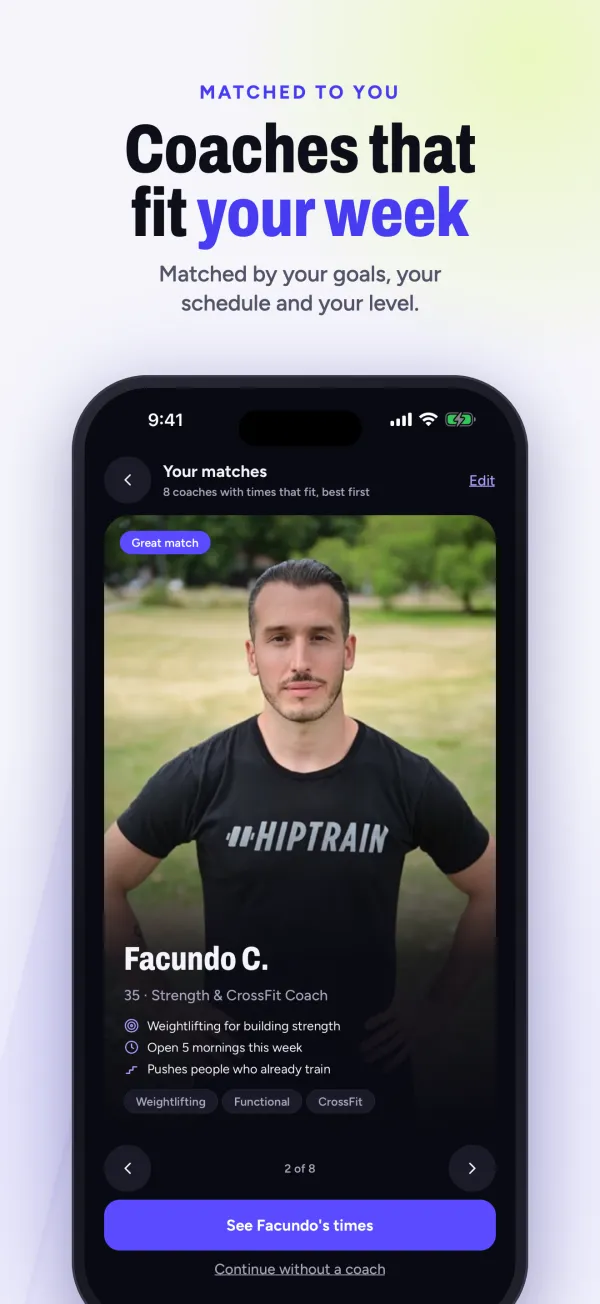
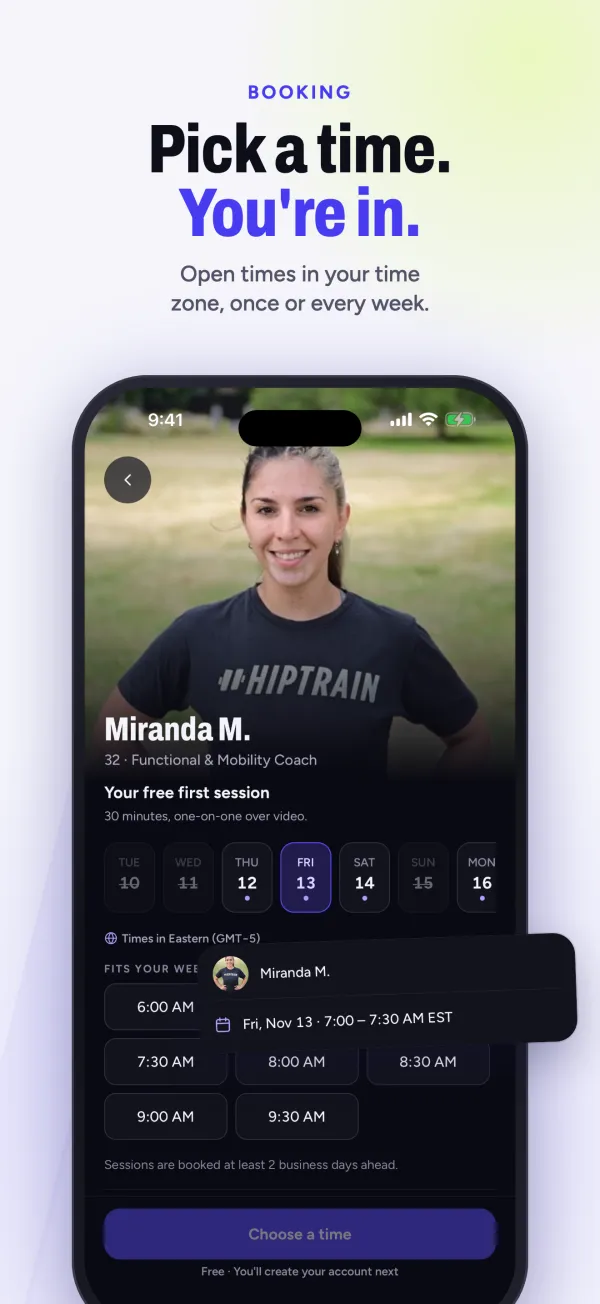
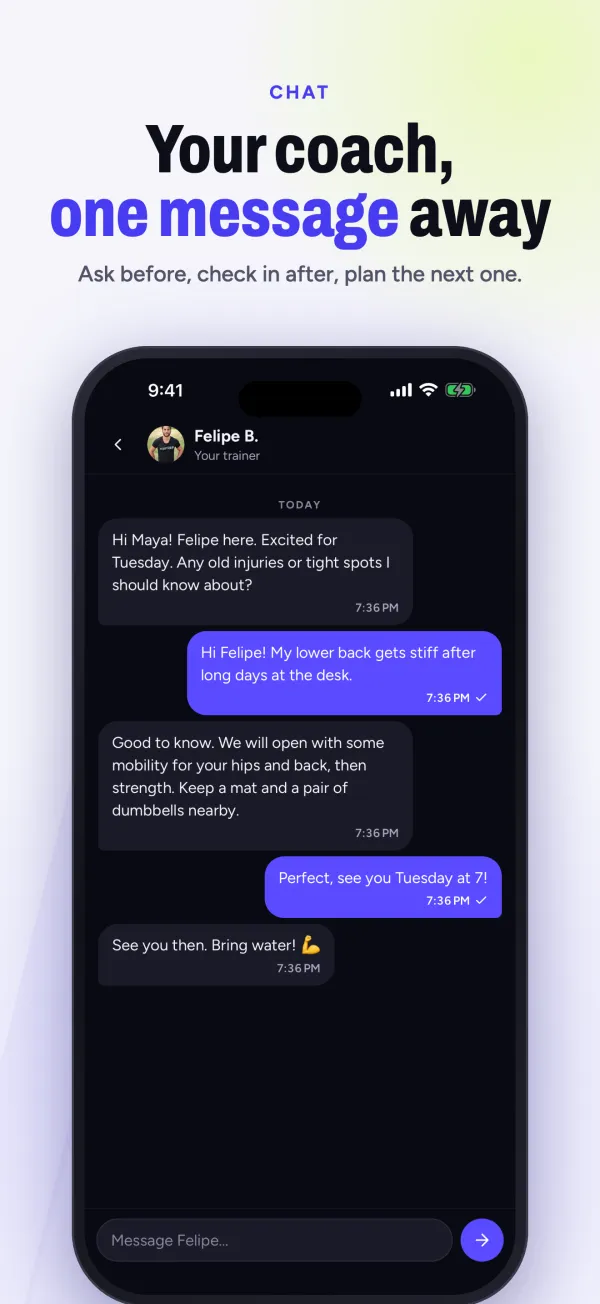
Use it on iPhone, iPad, Android or the web. There's more on the HipTrain app page.
What gear do you actually need?
None, to start. Here's how a trainer might use each level of home setup.
If you're thinking of buying gear, ask your trainer first. They can tell you which band or dumbbell weight makes sense for the moves you'll actually do.
Getting the camera right
Strength coaching on video depends on what your trainer can see. A few tips:
- Side view for squats and hinges. Your trainer can see your back angle and hip depth best from the side. Turn yourself, or move the phone.
- Whole body in frame. Prop your phone on a shelf or chair a few steps back so your feet and head both show.
- Flip when needed. You can switch between the front and back camera from the call screen.
- Headphones help. Wired or Bluetooth headphones make it easier to hear cues mid-set.
- Clear the floor. A space about the size of a yoga mat is plenty for most sessions.
An example strength week
This is an example only. Your trainer plans around your level and goals.
- Session 1 (30 minutes, live): lower body. Squat pattern, hip hinge, step-ups, a short plank.
- Session 2 (30 minutes, live): upper body. Push-ups at your level, rows, presses, carries with water jugs or dumbbells.
- Between sessions: walks, and one or two moves your trainer suggests in chat.
Two sessions like this cover the CDC's 2 days of muscle-strengthening activity. Want to go deeper on the training style? See strength training with HipTrain.
What a member says
"I have been training with Juan G. for about a year now. He is very knowledgeable, and helped me get to a consistent strength training schedule, even though I didn't have any strength training experience when we started. I would highly recommend HipTrain and Juan." (Manya S., Google review)
What it costs
The example week above is two 30-minute sessions, $119.99 a month. If you'd like three full-length strength sessions a week, that's $319.99. A typical in-person trainer costs $75 or more per session. HipTrain is HSA / FSA eligible, usually with a Letter of Medical Necessity; read our HSA / FSA page and check your plan.
When HipTrain isn't the right fit
- You already lift well and just want a program. A plan-only app can cost less per month if you don't need live form checks.
- You want to lift at any hour, unscheduled. Our sessions are booked times on camera.
- You want a big on-demand workout library or nutrition plans. We don't offer them.
- You want an in-person spotter. HipTrain is video only, so very heavy barbell lifts are better done with someone in the room.
- Review volume matters to you. We have about 30 ratings on the App Store (4.7 stars), far fewer than the biggest fitness apps, and a small trainer roster.
Questions
Can you really build strength at home without weights?
Yes, especially at first. The CDC counts body-weight exercises like push-ups as muscle-strengthening activity. The key is making them harder over time with slower reps, harder versions or a band.
What's the best app for strength training at home for beginners?
If you're new to lifting, choose one where a person watches you, so you learn good form from the start. Once your technique is solid, a plan-based app becomes a reasonable cheaper option.
How many days a week should I strength train at home?
The CDC recommends at least 2 days a week for all major muscle groups. Two or three sessions with a day of rest between is a common pattern.
Can a trainer coach me at my gym through the app?
Yes. The app works anywhere your phone does, including at a gym or outdoors. You just need to set the phone where your trainer can see you.
Is online strength training safe?
For most healthy adults, yes, with good form and sensible loads. If you have a heart condition, joint problem or other health concern, check with your doctor before starting, and tell your trainer.
Want someone to watch your form and plan your next step? Try your first HipTrain session free. No credit card needed.
We checked app features and prices in November 2026. These can change, so confirm before you sign up. More reading: our trainer app guide for women over 50 and our guide for beginners.